Most teams do not need more software. They need better support for the work that keeps coming back.
Most business owners do not need more noise. They need more support. They need help with the repeat work that takes time, slows teams down, and keeps good people stuck doing tasks that should already have a system. That is where ChatGPT workplace agents start to matter. They give you a way to turn repeatable work into a guided process that can help your team move faster and stay more organized.
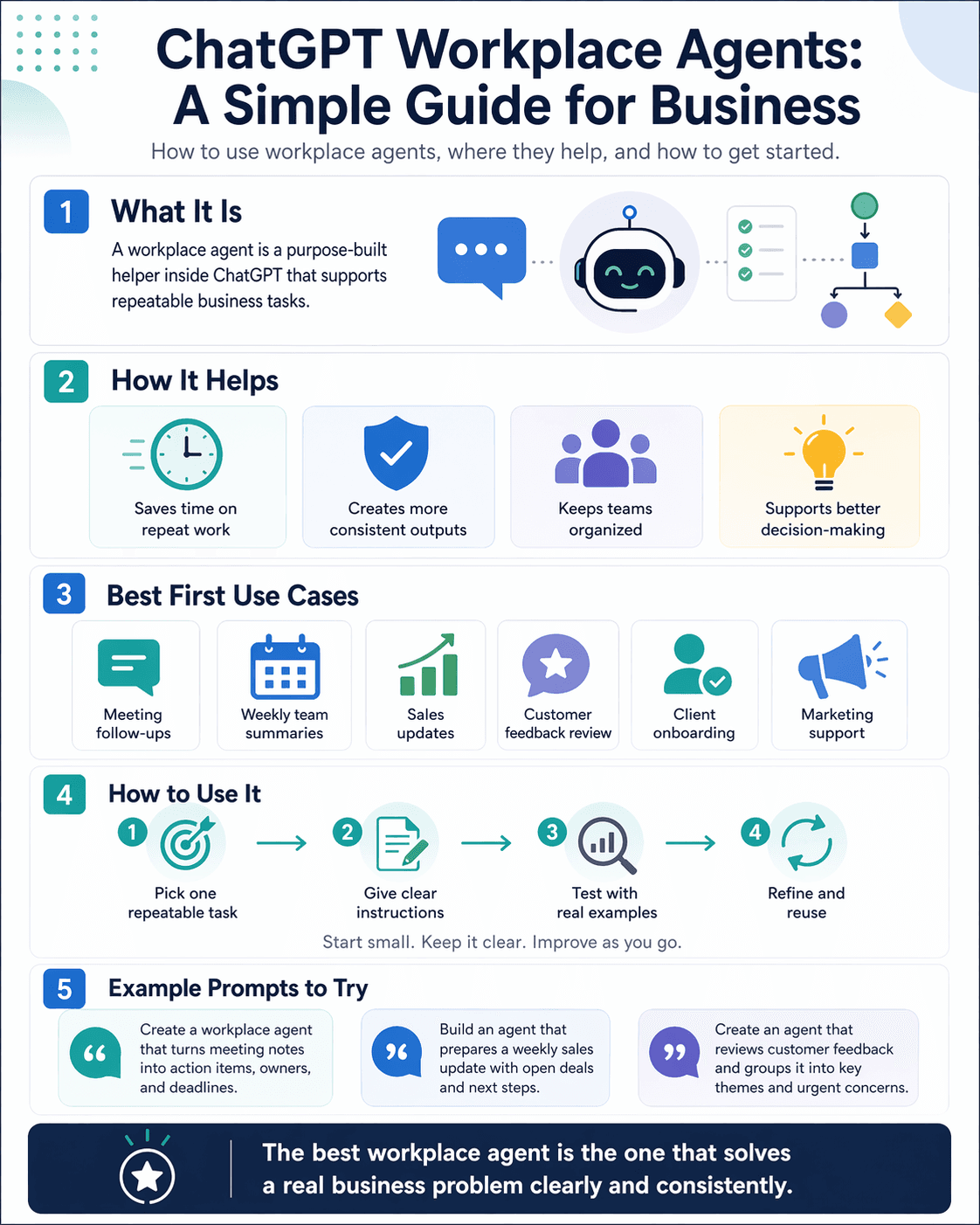
At the simplest level, a workplace agent is a purpose-built helper inside ChatGPT. Instead of starting from scratch every time, you can create an agent around a specific job. That job might be writing weekly updates, organizing meeting notes, preparing client follow-ups, reviewing customer feedback, or helping your team stay on top of operations. The point is not just to chat with AI. The point is to give it a clear role.
That difference matters. A normal chat is helpful when you need a quick answer or a one-time draft. A workplace agent is better when the same kind of work keeps showing up. It helps create consistency. It helps reduce repeated instructions. It helps your team stop reinventing the wheel every time a task comes back around. For a small business, that can mean less friction and more focus.
This is especially useful for professionals and small business owners who are just starting their AI journey. A lot of people hear about AI and think they need to change everything at once. They do not. The smarter move is to start with one process that already exists. If your business already has recurring tasks, recurring questions, or recurring reports, you already have a good place to begin.
A good workplace agent should do one thing clearly before it tries to do many things at once. Start with a real business need. Pick a task that happens often, has a clear outcome, and is easy to review. Some strong first uses include:
turning meeting notes into action items
creating weekly team summaries
drafting customer response follow-ups
preparing sales or pipeline updates
organizing project updates across a team
reviewing feedback and spotting common themes
The best way to use workplace agents is to think in plain language. Ask yourself what the task is, what a strong result looks like, what information the agent should use, and where a person still needs to review the work. If you can explain the task to a new employee in a few clear steps, you can usually explain it to an agent. That is a good test. If the process is too fuzzy for a person to follow, it will also be too fuzzy for AI.
When you build your first agent, be direct. Tell it what role it plays. Tell it what kind of output you want. Tell it what to prioritize. Tell it what to avoid. If you want it to create a weekly sales summary, say that clearly. If you want it to summarize client notes and suggest next steps, say that clearly too. Good instructions lead to better outputs. Clear in means clear out.
It also helps to remember that workplace agents should support judgment, not replace it. They are most helpful when they gather, organize, draft, and structure work so your team can make faster and better decisions. That is an important mindset for any business using AI for the first time. You are not handing over your business thinking. You are reducing the time spent on low-value repetition so your people can spend more time where they add the most value.
Here are a few practical use cases worth exploring:
A client onboarding agent that turns intake information into a welcome summary, task list, and kickoff checklist
A marketing support agent that turns rough ideas into draft social posts, email copy, and campaign outlines
A team operations agent that reviews updates from the week and creates a clean internal summary
A customer insights agent that groups feedback into trends, concerns, and opportunities
A meeting prep agent that gathers background notes and creates an agenda before a call
If you want strong results, do not start by asking the agent to do everything. Start small. Test it on real examples. See where it gets the job right and where it needs stronger instructions. Then refine it. This is how real adoption happens. Not through hype. Through practical use. The teams that get the most value from AI are usually the ones that begin with a focused use case and improve it over time.
Here are a few example prompts you can try when creating or testing a workplace agent:
“Create a workplace agent that turns meeting notes into a follow-up summary with action items, owners, and deadlines.”
“Build an agent that prepares a weekly sales update using client notes, open opportunities, and recommended next steps.”
“Create an agent that reviews customer feedback and groups it into key themes, urgent concerns, and suggested actions.”
“Build an agent that prepares for client meetings by organizing account background, open issues, and a short recommended agenda.”
These prompts work because they are simple, specific, and tied to a real business need.
The bigger lesson is this: workplace agents are not just another feature to explore. They are a chance to build better habits around how work gets done. They help teams create structure where there used to be repetition. They help small businesses act with more clarity and consistency. And for professionals who are just getting started with AI, that is the right place to begin. Start with one useful process. Keep it clear. Keep it practical. Let the tool support the work, and let your team stay at the center of it.